
The Dark Side of the Internet Most People Never See
The internet has transformed how we work, communicate, shop, learn, and entertain ourselves. Every day, billions of people browse websites, watch videos, chat with friends, and complete financial transactions online. While most users experience the internet as a convenient and useful place, there is another side that remains hidden from everyday browsing.
The dark side of the internet includes cybercrime, scams, identity theft, malicious software, illegal marketplaces, data breaches, fake websites, online stalking, and AI-powered fraud. Most internet users never directly encounter these threats—until they become victims.
Understanding these hidden dangers is the first step toward protecting yourself. In this guide, we’ll explore what really happens behind the scenes and how you can stay safe.
Surface Web vs Deep Web vs Dark Web
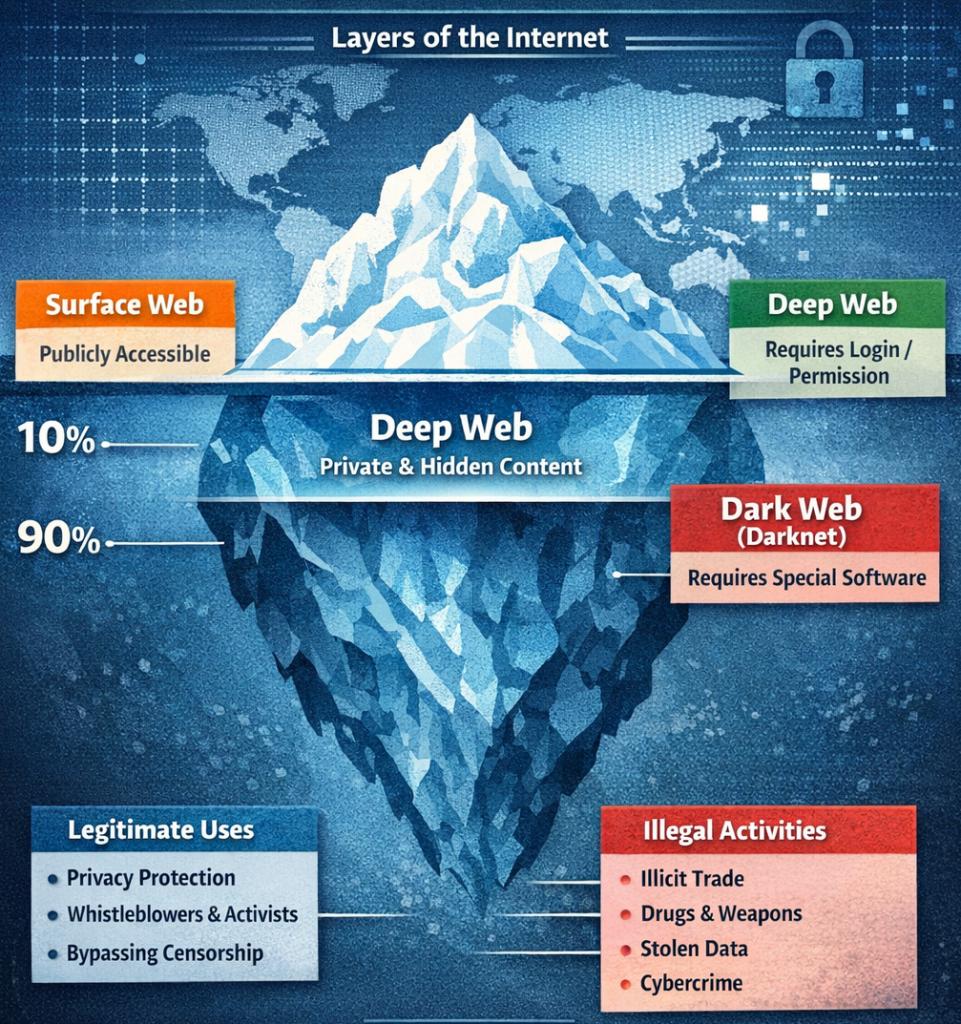
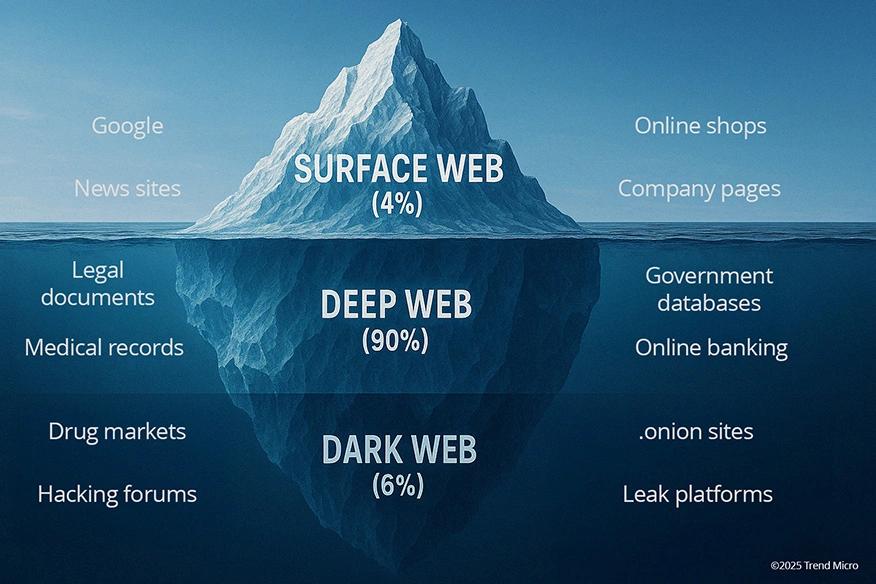
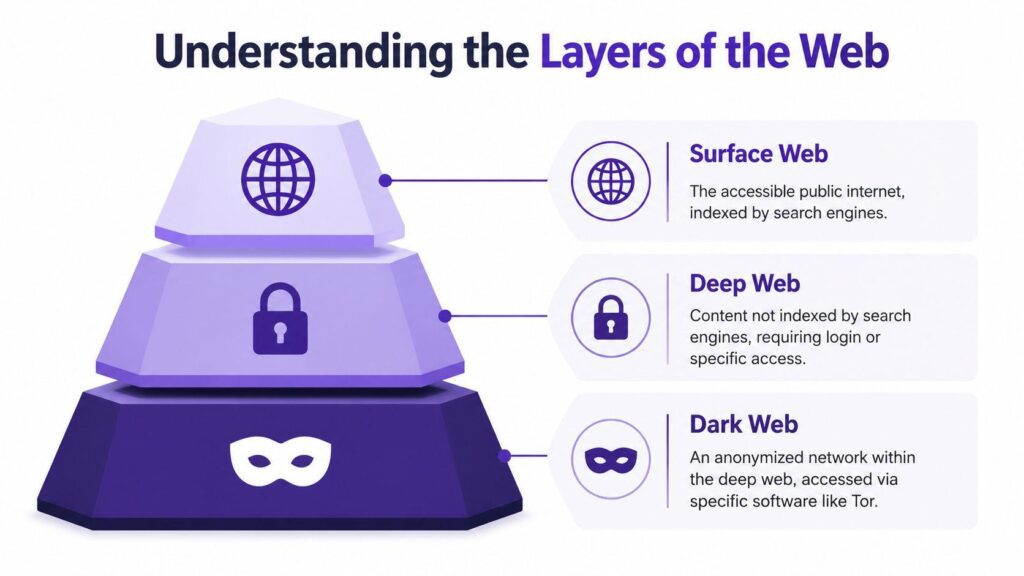
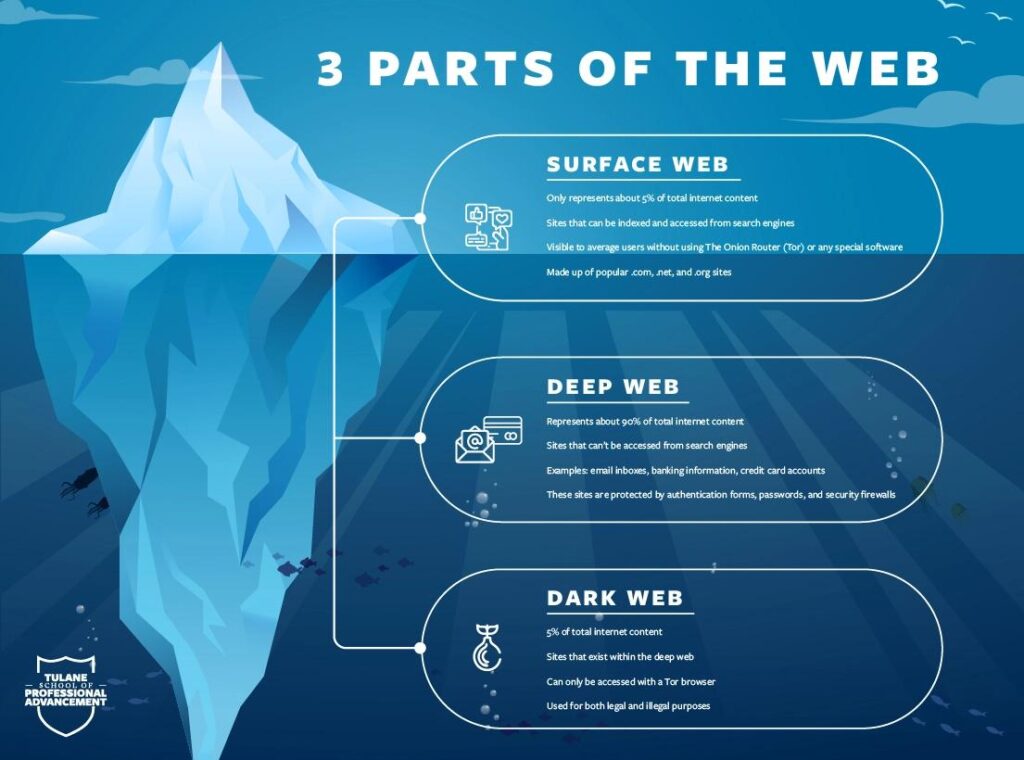
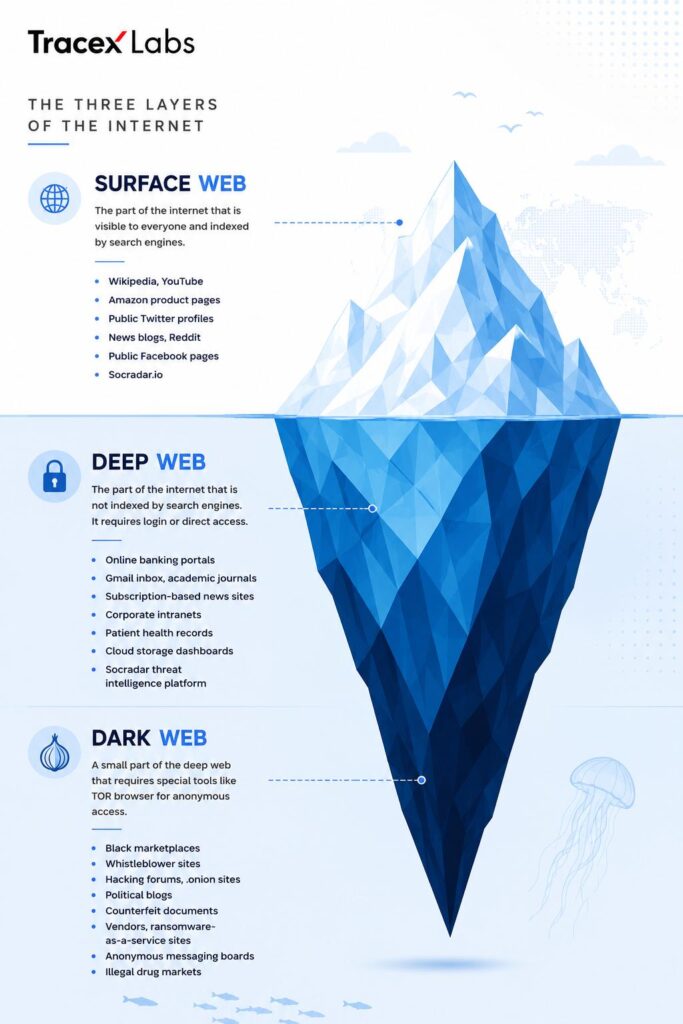
Many people confuse the Deep Web with the Dark Web, but they are not the same.
Surface Web
This includes websites indexed by search engines such as:
- News websites
- Blogs
- Shopping websites
- Educational websites
These make up only a small percentage of the internet.
Deep Web
The Deep Web contains content that isn’t indexed by search engines, including:
- Online banking
- Email accounts
- Cloud storage
- Medical records
- Company databases
The Deep Web is completely legal and essential for everyday online services.
Dark Web
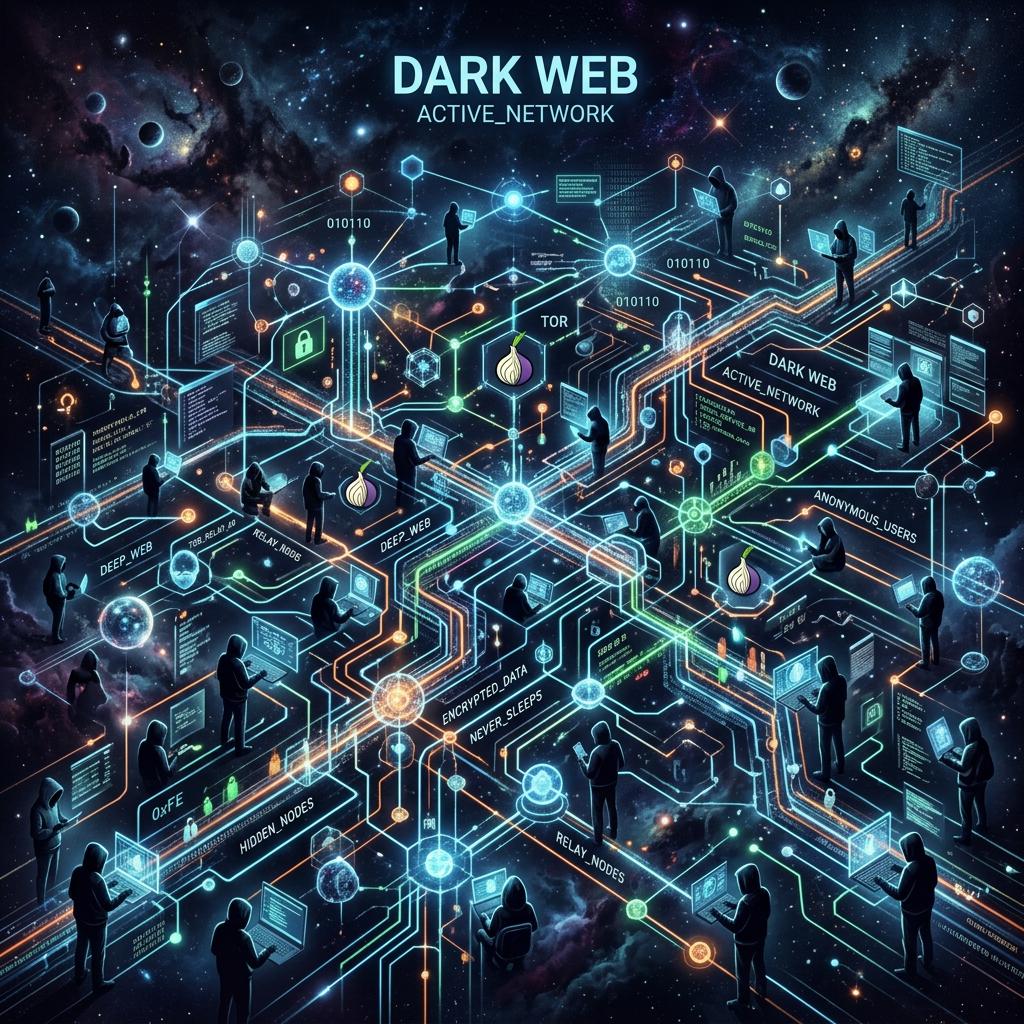
The Dark Web is a small encrypted section of the internet accessible only through specialized software like Tor.
Although it has legitimate privacy uses, it is also known for hosting:
- Illegal marketplaces
- Stolen data
- Fake documents
- Cybercrime forums
- Malware distribution
It’s important to note that not everything on the Dark Web is illegal, but it has gained a reputation because criminals often exploit its anonymity.
1. Online Scams Are More Advanced Than Ever
Cybercriminals no longer rely on poorly written emails.
Modern scams use:
- Artificial Intelligence
- Deepfake videos
- Fake customer support
- QR code scams
- SMS phishing
- Fake investment apps
Victims often lose thousands of dollars before realizing they’ve been deceived.
Warning Signs
- Too-good-to-be-true offers
- Urgent payment requests
- Unknown links
- Unexpected OTP requests
- Fake giveaways
2. AI Is Helping Cybercriminals
Artificial Intelligence is improving productivity—but criminals are also using it.
Examples include:
- AI-generated phishing emails
- Voice cloning scams
- Fake celebrity advertisements
- Deepfake video calls
- Automated hacking attempts
A cloned voice pretending to be a family member asking for emergency money is no longer science fiction.
3. Identity Theft
Every online account stores personal information.
Hackers target:
- Passwords
- Credit card details
- Aadhaar or government IDs
- Passport information
- Banking credentials
Once stolen, criminals may:
- Open fake accounts
- Make unauthorized purchases
- Apply for loans
- Sell personal information
4. Massive Data Breaches
Almost every year, major companies experience security breaches.
Millions of records can include:
- Email addresses
- Password hashes
- Phone numbers
- Payment information
If users reuse passwords across multiple websites, attackers can gain access to many accounts from a single breach.
5. Malware and Ransomware
Malware is software designed to harm devices.
Common types include:
Viruses
Spread through infected files.
Trojans
Appear as legitimate software.
Spyware
Silently records user activity.
Keyloggers
Capture everything typed on a keyboard.
Ransomware
Encrypts files and demands payment for their release.
Businesses, hospitals, schools, and individuals have all been targeted by ransomware attacks.
6. Fake Online Shopping Websites
Fake stores often appear during holiday sales.
Signs include:
- Unrealistic discounts
- No customer reviews
- Poor grammar
- No contact information
- Only prepaid payment methods
Many victims either receive counterfeit products or nothing at all.
7. Social Media Manipulation
Social platforms have become targets for misinformation and manipulation.
Fake accounts may:
- Spread false news
- Promote scams
- Impersonate brands
- Steal personal information
Always verify information through trusted sources before sharing.
8. Free Apps May Cost Your Privacy
Many free applications request permissions they don’t need.
Examples:
- Camera access
- Contacts
- Microphone
- SMS
- Location tracking
Some apps collect user data for advertising, while malicious apps may misuse it.
Before installing an app:
- Read reviews
- Check permissions
- Download only from official app stores
9. Public Wi-Fi Risks
Free Wi-Fi in cafes, airports, or hotels can expose your data if unsecured.
Risks include:
- Data interception
- Fake hotspots
- Session hijacking
Avoid logging into banking or sensitive accounts on public networks unless using a trusted VPN.
10. Password Reuse Is Dangerous
Using the same password everywhere is one of the biggest security mistakes.
Instead:
- Use unique passwords
- Enable Two-Factor Authentication (2FA)
- Consider a password manager
How to Stay Safe Online
Follow these practical tips:
- Use strong, unique passwords.
- Enable multi-factor authentication.
- Keep your devices and software updated.
- Verify website URLs before entering personal information.
- Avoid clicking suspicious links or downloading unknown attachments.
- Install reputable antivirus software.
- Regularly back up important files.
- Review app permissions and remove apps you no longer use.
- Be cautious with public Wi-Fi.
- Stay informed about the latest cyber threats.
Common Internet Myths
Myth 1: “Only large companies get hacked.”
Reality: Individuals are targeted every day through phishing, credential theft, and scams.
Myth 2: “Macs and smartphones can’t get viruses.”
Reality: While some platforms are less frequently targeted, no device is completely immune.
Myth 3: “Private browsing keeps me anonymous.”
Reality: Incognito mode mainly prevents local browsing history from being saved. It does not hide your activity from websites, your internet provider, or employers.
Myth 4: “If a website looks professional, it’s safe.”
Reality: Fraudulent websites can closely imitate legitimate brands.
Why Cybersecurity Awareness Matters
Cybersecurity is no longer just an IT issue—it is a life skill. Whether you’re a student, gamer, professional, or business owner, your personal information has value. By recognizing common threats and following good security practices, you can significantly reduce your risk of becoming a victim.
Conclusion
The internet offers incredible opportunities, but it also contains hidden dangers that many users never notice until it’s too late. From AI-powered scams and ransomware to fake shopping sites and identity theft, the threat landscape continues to evolve.
The good news is that you don’t need advanced technical knowledge to stay safe. Simple habits—such as using strong passwords, enabling two-factor authentication, keeping software updated, and thinking critically before clicking links—can dramatically improve your online security. Staying informed is one of the best defenses against cybercrime.
Frequently Asked Questions (FAQs)
1. What is the dark side of the internet?
It refers to hidden online threats such as scams, cybercrime, malware, identity theft, data breaches, and illegal activities that most users don’t encounter during normal browsing.
2. Is the Dark Web illegal?
No. Accessing the Dark Web is not illegal in many countries, but engaging in illegal activities there is against the law.
3. How can I protect myself from online scams?
Use strong passwords, enable 2FA, verify websites before entering personal information, and avoid clicking suspicious links or downloading unknown files.
4. What is phishing?
Phishing is a type of cyberattack where criminals impersonate trusted organizations to trick users into revealing sensitive information such as passwords or banking details.
5. Can AI be used for cybercrime?
Yes. Criminals increasingly use AI to create convincing phishing emails, deepfake videos, cloned voices, and automated scams.
6. Why should I avoid reusing passwords?
If one account is compromised in a data breach, attackers can use the same password to try accessing your other accounts.